Jigsaw Puzzle Maker from
Love Jigsaw Puzzles
What Jigsaw Puzzle Maker does
Jigsaw Puzzle Maker turns your own photos into playable jigsaw puzzles in your browser. It runs as a single HTML file — no installation, no account, no internet needed once you have the file. Your photos stay on your device.

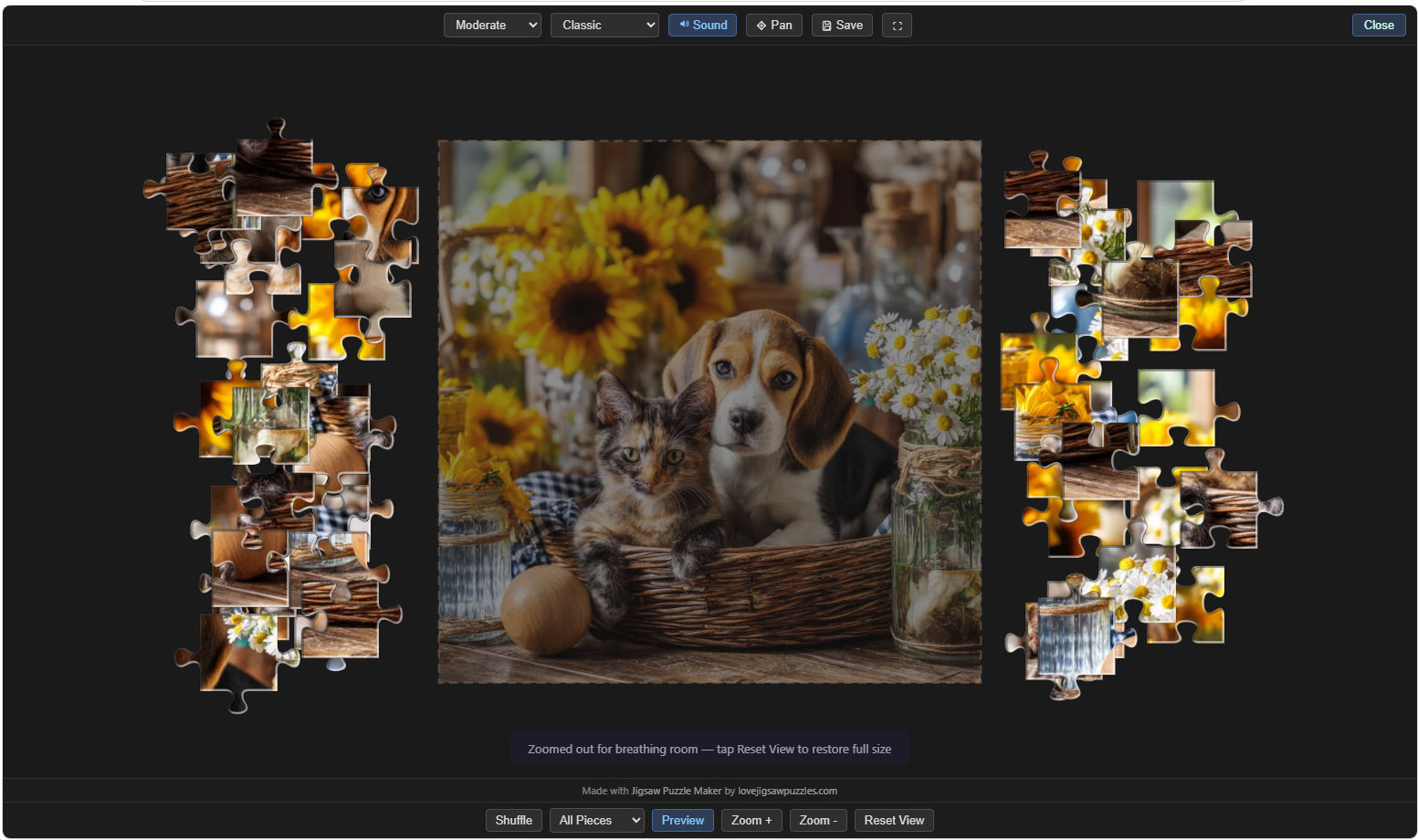
Try the free game version above, open and play the jigsaw puzzle, then add up to 3 images (free version limited to 3 pictures), and enjoy playing your own pictures as online jigsaw puzzles
Buy the Personal Edition of Jigsaw Puzzle Maker via our online store at Payhip for $12.99. The Personal Edition allows you to add up to 100 of your own pictures, that can then be played as jigsaw puzzles or used to create your own jigsaw puzzle games, each with up to 12 pictures. These can be shared by e-mail, or online on a website or shared online storage.
Built in to every edition:
- Jigsaw puzzle player — 16 to 224 pieces, 10 piece shapes, save & resume.
- Photo gallery with thumbnail grid.
- Lightbox for full-screen photo viewing with pinch-to-zoom.
- 3D rotating cube showing six photos at once — also works as a screensaver.
The three editions
| Edition | Price | Your photos | Create games for others? |
|---|---|---|---|
| Free | £0 | Up to 3 | Yes — 3 photos per game |
| Personal Edition | $12.99 one-time | Up to 100 | Yes — unlimited games |
| Pro Edition | $49.00 one-time - on request | Up to 250 | Yes + customisable branding |
All three are single-file HTML downloads. No subscription, no server, no maintenance.
Try out the Free version before deciding. Or the examples of what your created jigsaw games would look like with our 12 picture demos - Dogs and Cats Jigsaw Puzzles and Puzzle Maker - and Game 2 Free Version of Puzzle Maker. Please note that these versions are a lot slower to load as they contain 12 jigsaw puzzle pictures. On the paid version you add your own pictures from your computer or device and the App loads within 1 second.
Personal Edition — what you can do
1. Play jigsaw puzzles of your own photos
Import up to 100 photos. Pick any photo, pick a difficulty, pick a piece shape, solve. Save mid-puzzle and resume later (up to 10 unfinished games remembered).
2. View photos in 3D
Watch six of them rotate on a 3D cube — leave it fullscreen as a desktop screensaver.
3. Create shareable Free game files
Pick up to 12 of your photos, add a title, click Export. You get a self-contained .html puzzle file you can email, USB, or upload to cloud storage. Recipients double-click and play — no install, no internet.
You can create unlimited Free games. When you're done with one batch of photos, click Start Over, import the next 100, make more games. Build a library of jigsaw puzzles over time — for family, friends, a craft business, a photography portfolio, anything.
Pro Edition
- Up to 250 photos per session.
- Configurable export cap (12–50 photos per game instead of fixed 12).
- Settings panel to set your own storefront URL, donate link, buy-app link, and branding. Every Free game you export carries YOUR links.
- Aimed at small businesses — puzzle-pack sellers, photographers, craft shops with companion promos.
How to use it — quick start
- Open the file. Double-click
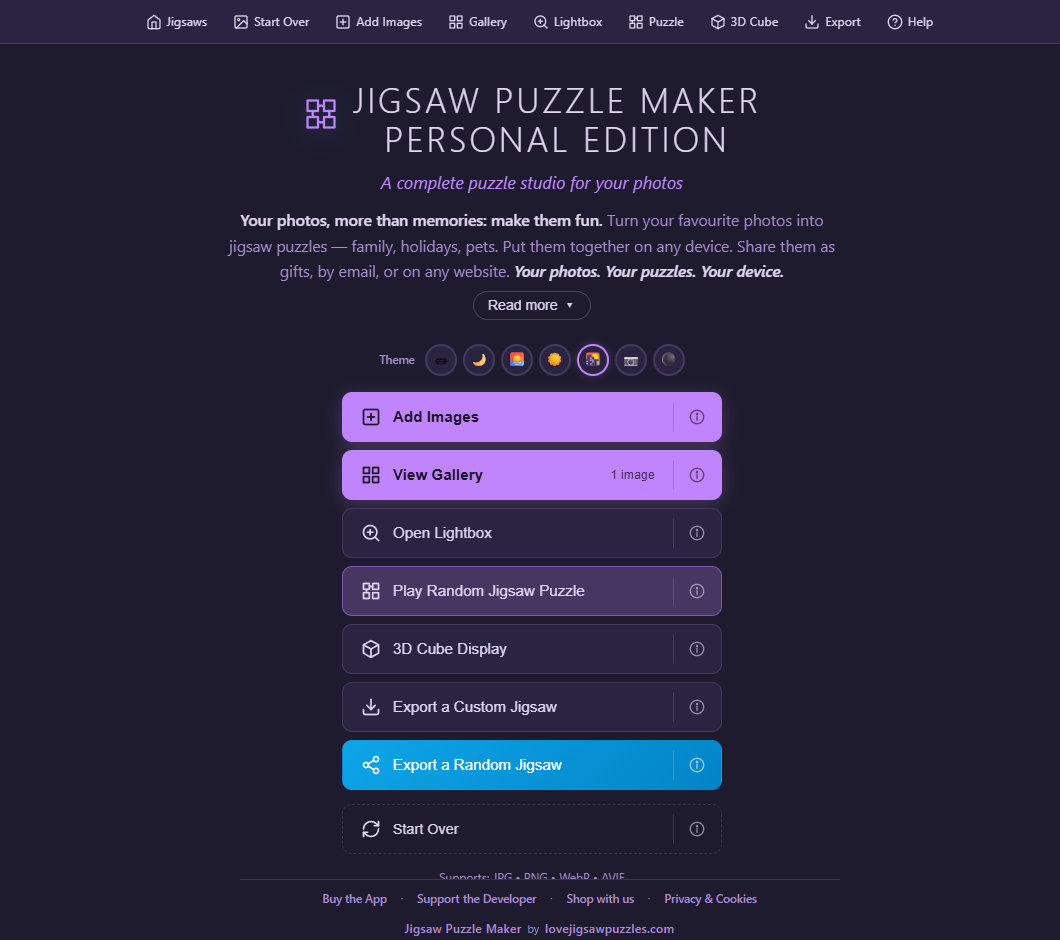
jigsaw-puzzle-maker.html— it opens in your browser. - Add your photos. Click Add Images or drag-and-drop. Photos are converted to web-friendly WebP and saved on your device.
- Play a puzzle. Click Play Random Jigsaw Puzzle or pick a photo from the gallery → jigsaw piece icon. Pick difficulty and shape from the top toolbar.
- Make a shareable game. Click Export a Custom Jigsaw → pick up to 12 photos → give it a title → Export. The file lands in your Downloads folder. Send it however you like.
- Resume an unfinished puzzle. Click Resume Saved Game on the welcome screen (appears when you have saves).
Where things are stored
Everything stays on your device:
- Photos — your browser's IndexedDB (sandboxed, never uploaded).
- Saved puzzles — up to 10 unfinished games, kept for 356 days.
- Free games you create — saved as
.htmlfiles in your Downloads folder.